- C++ 91.6%
- C 5.8%
- Batchfile 0.9%
- PowerShell 0.8%
- Lua 0.4%
- Other 0.4%
 Manu
f691b0176f
Manu
f691b0176f
- distribution size goes down to ~7MB (from ~220MB) when including only what's needed |
||
|---|---|---|
| .github | ||
| Deploy | ||
| logo | ||
| nuget | ||
| PortableApps | ||
| Release | ||
| scripts | ||
| src | ||
| .editorconfig | ||
| .gitattributes | ||
| .gitignore | ||
| .gitmodules | ||
| appveyor.yml | ||
| azure-pipelines.yml | ||
| CreateRelease.cmd | ||
| Deploy_to_all.bat | ||
| descript.ion | ||
| FUNDING.yml | ||
| LICENSE | ||
| premake5.lua | ||
| README.md | ||
| SECURITY.md | ||
Manu's ConEmu
personal fork based on v23.7.24.
ConEmu lacks GPU rendering, so I run Alacritty embedded inside it via ChildGui. best of both worlds: ConEmu's tab management with Alacritty's rendering performance.
the catch: once a GUI app is embedded, most ConEmu hotkeys stop working. Windows sends keypresses directly to the focused window (the GUI app), and ConEmu never sees them. the only exception is hotkeys registered through 'Install keyboard hooks', which installs a low-level keyboard hook that intercepts keys before they reach the focused window.
as I noted in ConEmu/ConEmu#2637, this is a philosophical choice rather than a technical limitation. the hook already proves it's possible, it just wasn't applied broadly. the existing Win bindings are also opinionated, as Ctrl combos are far more common across apps with tabs.
changes
- added support for Ctrl hotkeys with ChildGUI via low-level hook
• new settings toggle: Support special hotkeys (Ctrl+Tab, Ctrl+1..9/0, Ctrl+T, Ctrl+W, Alt+T, Win+Alt+P)
• Win+Alt+P: open preferences
• Ctrl+1..9/0 switch to specific tab
• Ctrl+Tab cycle to next tab
• Ctrl+W close current tab
• Ctrl+T open new tab
• Alt+T new tab dialogue
Original Readme Below
↓
About ConEmu
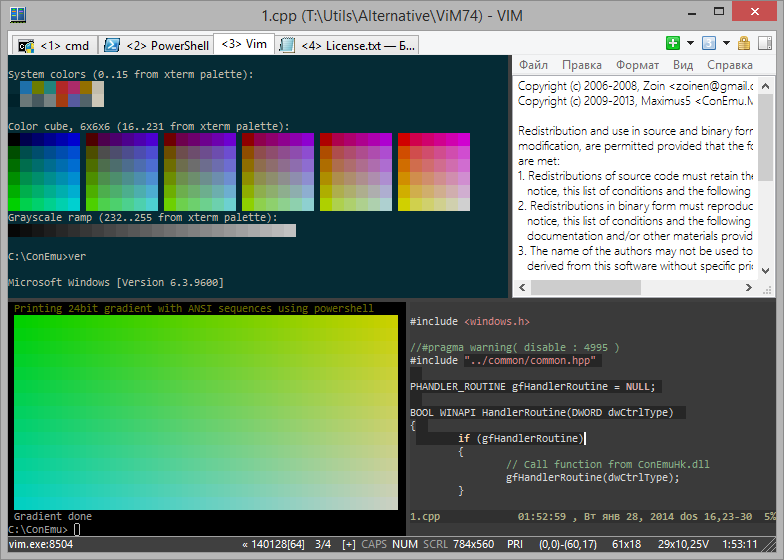
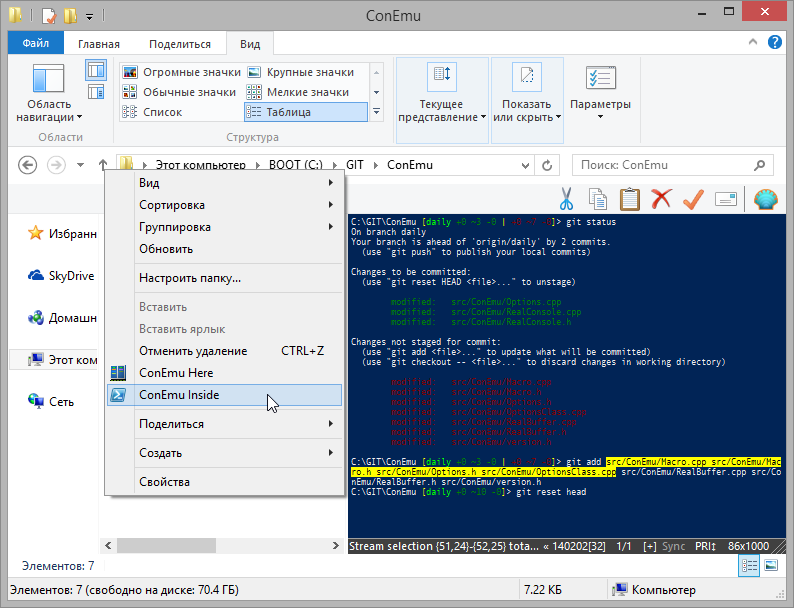
ConEmu-Maximus5 is a Windows console emulator with tabs, which represents multiple consoles as one customizable GUI window with various features.
Initially, the program was created as a companion to Far Manager, my favorite shell replacement - file and archive management, command history and completion, powerful editor.
Today, ConEmu can be used with any other console application or simple GUI tools (like PuTTY for example). ConEmu is an active project, open to suggestions.


Take a look at screencast about ConEmu.
This fork grew up from ConEmu by Zoin.
License (BSD 3-clause)
THIS SOFTWARE IS PROVIDED BY THE AUTHOR ''AS IS'' AND ANY EXPRESS OR
IMPLIED WARRANTIES, INCLUDING, BUT NOT LIMITED TO, THE IMPLIED WARRANTIES
OF MERCHANTABILITY AND FITNESS FOR A PARTICULAR PURPOSE ARE DISCLAIMED.
See Release/ConEmu/License.txt for the full license text.
Some links
Wiki: https://conemu.github.io/en/TableOfContents.html What's new: https://conemu.github.io/en/Whats_New.html Release stages: https://conemu.github.io/en/StableVsPreview.html Donate this project: https://conemu.github.io/donate.html
Description
ConEmu starts a console program in hidden console window and provides an alternative customizable GUI window with various features:
- smooth window resizing;
- tabs and splits (panes);
- easy run old DOS applications (games) in Windows 7 or 64bit OS (DosBox required);
- quake-style, normal, maximized and full screen window graphic modes;
- window font anti-aliasing: standard, clear type, disabled;
- window fonts: family, height, width, bold, italic, etc.;
- using normal/bold/italic fonts for different parts of console simultaneously;
- cursor: standard console (horizontal) or GUI (vertical);
- and more, and more...
Far Manager related features
- tabs for editors, viewers, panels and consoles;
- thumbnails and tiles;
- show full output (1K+ lines) of last command in editor/viewer;
- customizable right click behaviour (long click opens context menu);
- drag and drop (explorer style);
- and more, and more...
All settings are read from the registry or ConEmu.xml file, after which the command line parameters are applied. You may easily use several named configurations (for different PCs for example).
Requirements
- Windows XP or later for 32-bit.
- Windows Vista or later for 64-bit.
Installation
In general, ConEmu installation is easy.
Just unpack or install to any folder and run ConEmu.exe.
Read Installation wiki about release stages, distro packets, some warnings and much more...
Building from sources
https://github.com/Maximus5/ConEmu/blob/master/src/HowToBuild.md
Screenshots